RIAC Firmware Installer
Connect your eBrain via USB to update firmware or check your firmware version.
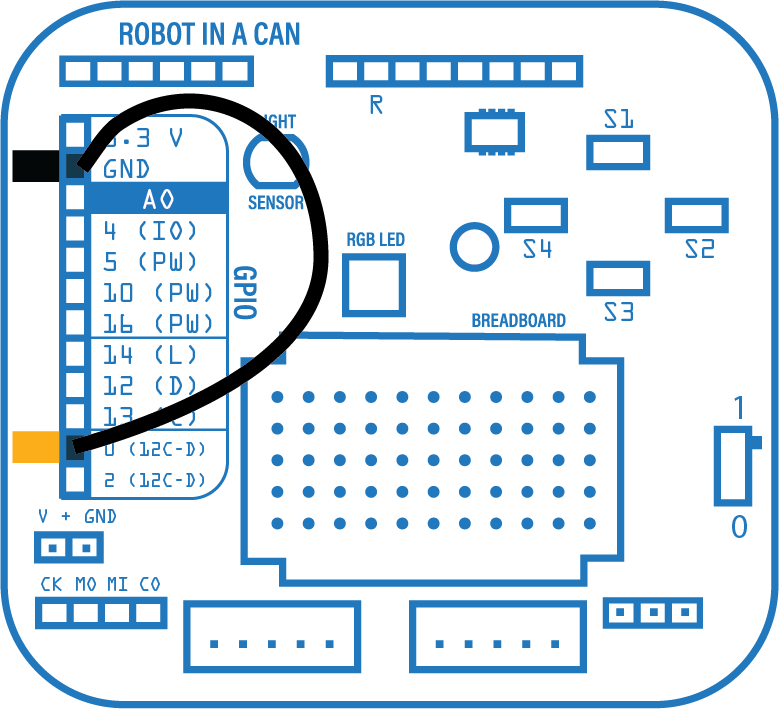
Please connect Pin0 to GND, before powering on your eBrain. This will put your eBrain into BOOT mode. Set power switch to 0 for USB mode.
Select firmware to install: